Database
1. Database Overview
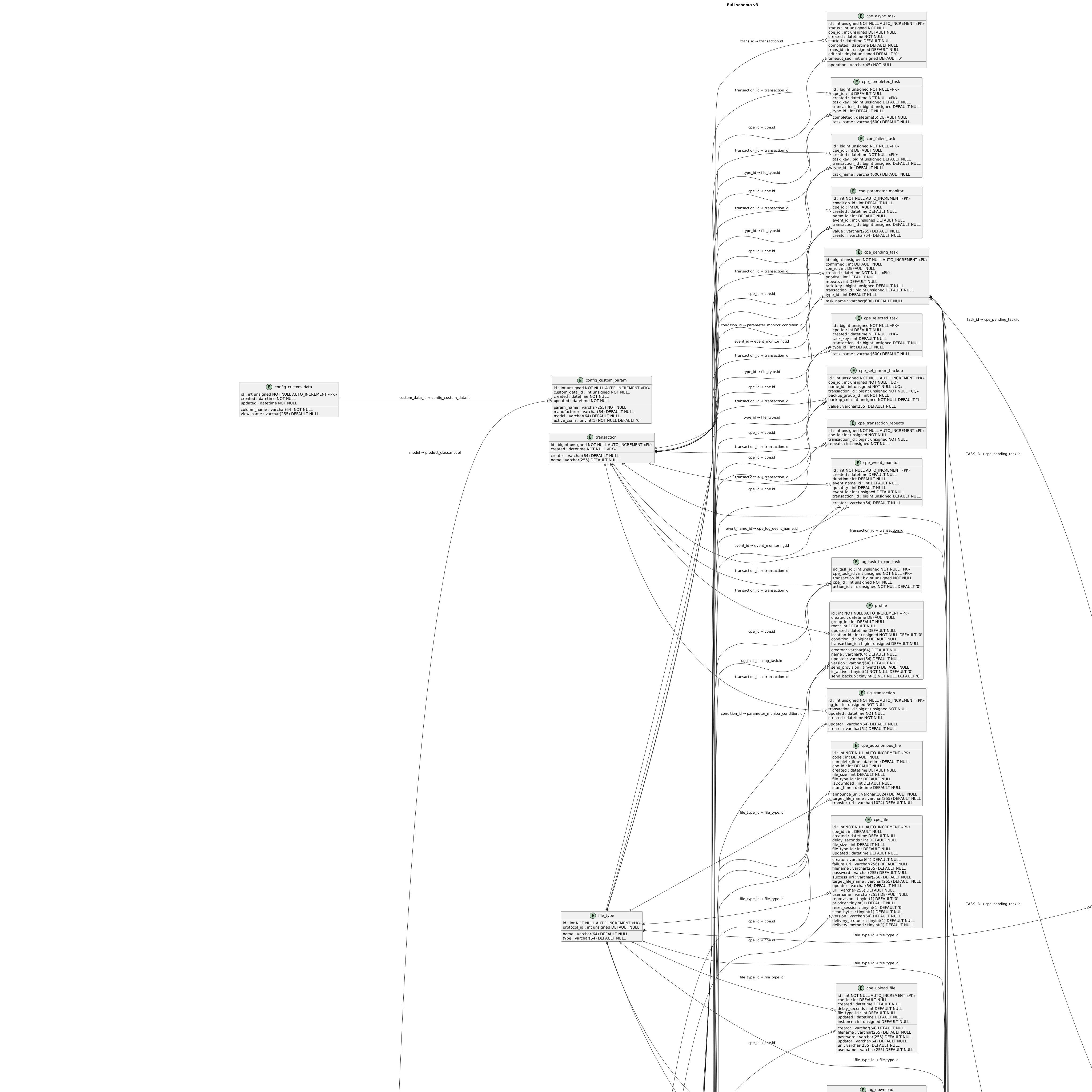
This section describes the database schema structures used by the OneIoT ACS platform. Use the diagrams below to understand the relationships between tables in each functional area of the system.
2. Database Schema
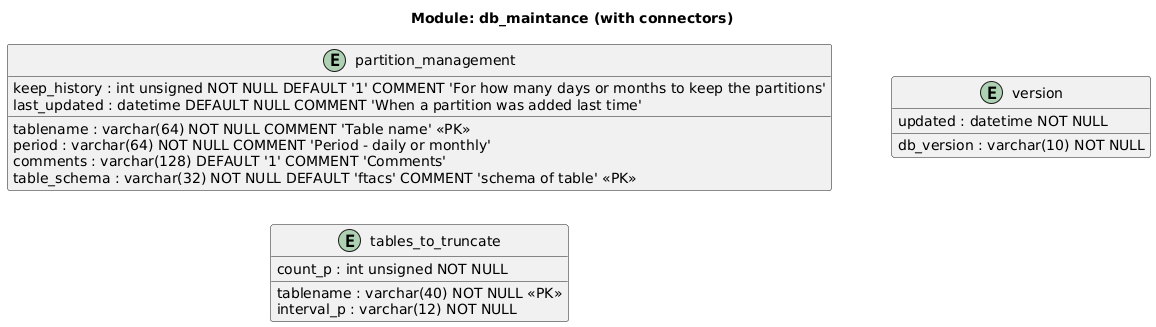
2.1. Maintenance Structure
The maintenance schema covers tables responsible for system upkeep, scheduled jobs, and internal housekeeping operations.
2.2. WebService Security Structure
The WebService security schema contains tables that manage authentication, authorization, and secure access to web service endpoints.

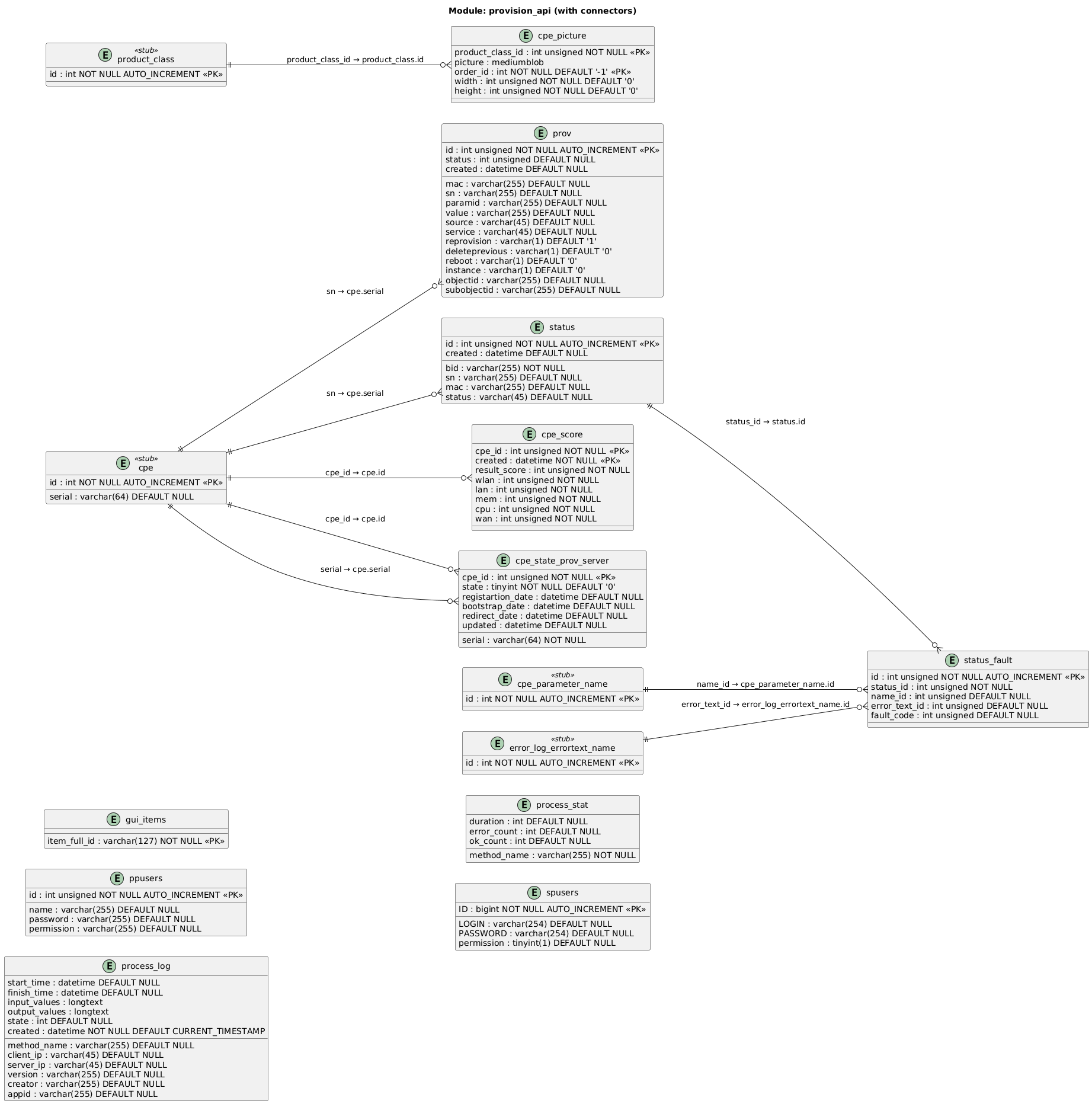
2.3. Provision API Structure
The provision API schema holds tables that support device provisioning workflows exposed through the API layer.
2.4. CPE Parameter Name
The cpe_parameter_name table stores the names of parameters and objects retrieved from customer devices over time.
The cpe_parameter table references cpe_parameter_name through the name_id foreign key.
| Column | Description |
|---|---|
|
Primary key identifier for the parameter name entry. |
|
Unique parameter or object name as reported by the device. Each unique instance combination produces a separate row. |
|
Data type of the parameter. |
|
Flag indicating whether the parameter value is stored in encrypted form. |
The following example illustrates how instance numbers generate distinct rows:
Device.Hosts.Host.1.IPv4Address.1.IPAddress
Device.Hosts.Host.1.IPv4Address.2.IPAddress
Device.Hosts.Host.2.IPv4Address.1.IPAddress
These three paths result in three separate entries in cpe_parameter_name.
|
In large deployments, this table can grow to over 100 million rows. ACS caches this table because parameter name lookup is required in 99% of device message processing, including Inform messages. Refer to the CPE Parameter Name Cache SDD for details on selective caching strategies that reduce memory consumption from over 90 GB to approximately 20-25 GB. |
3. Best Practices
-
Keep the PlantUML source files under
partials/diagrams/in sync with any database migration scripts. -
Review the full schema diagram after adding or removing tables to verify that relationships render correctly.
-
Use the area-specific diagrams (Maintenance, WebService Security, Provision API) when discussing a single subsystem, and reserve the full diagram for architecture-level reviews.