Architecture Overview
This document provides a comprehensive overview of the ACS architecture, including system context, component design, request processing, startup behavior, and infrastructure dependencies.
1. System Context
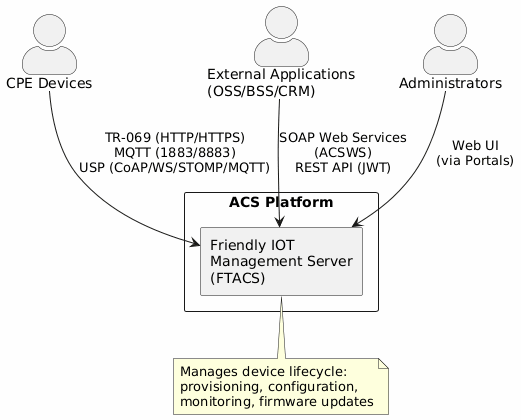
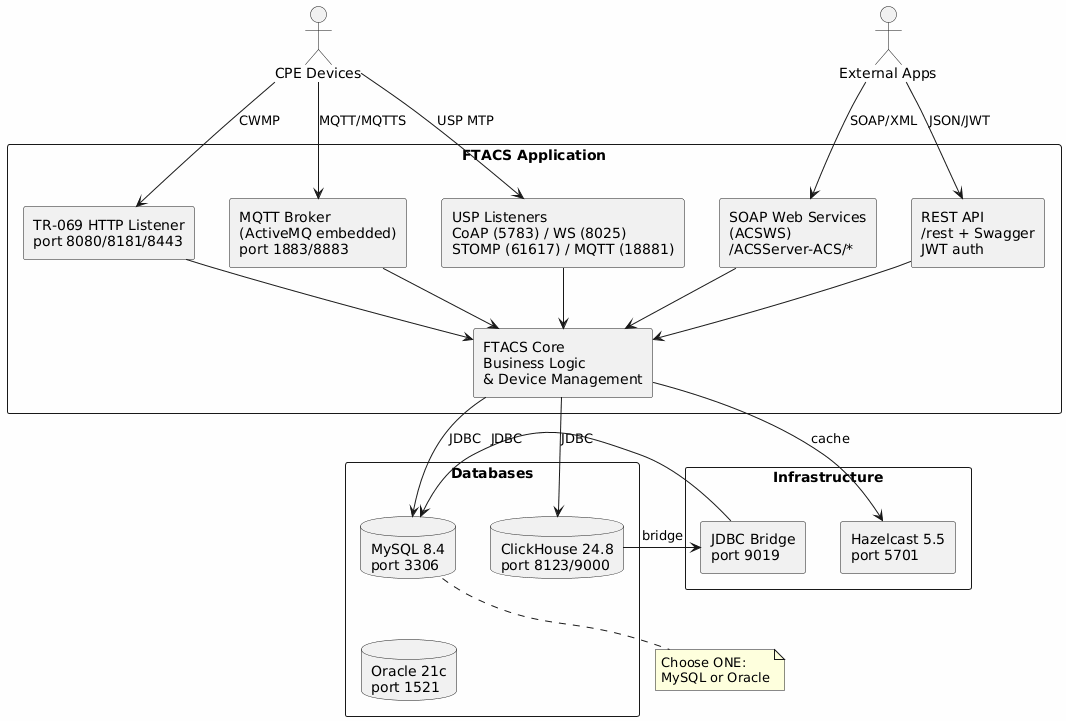
ACS is the central TR-069 Auto Configuration Server. It connects CPE devices (via TR-069, MQTT, and USP protocols) with external applications (via SOAP and REST APIs).
Use the following diagram to understand how ACS relates to external actors and systems.
2. Component Architecture
2.1. Application Framework
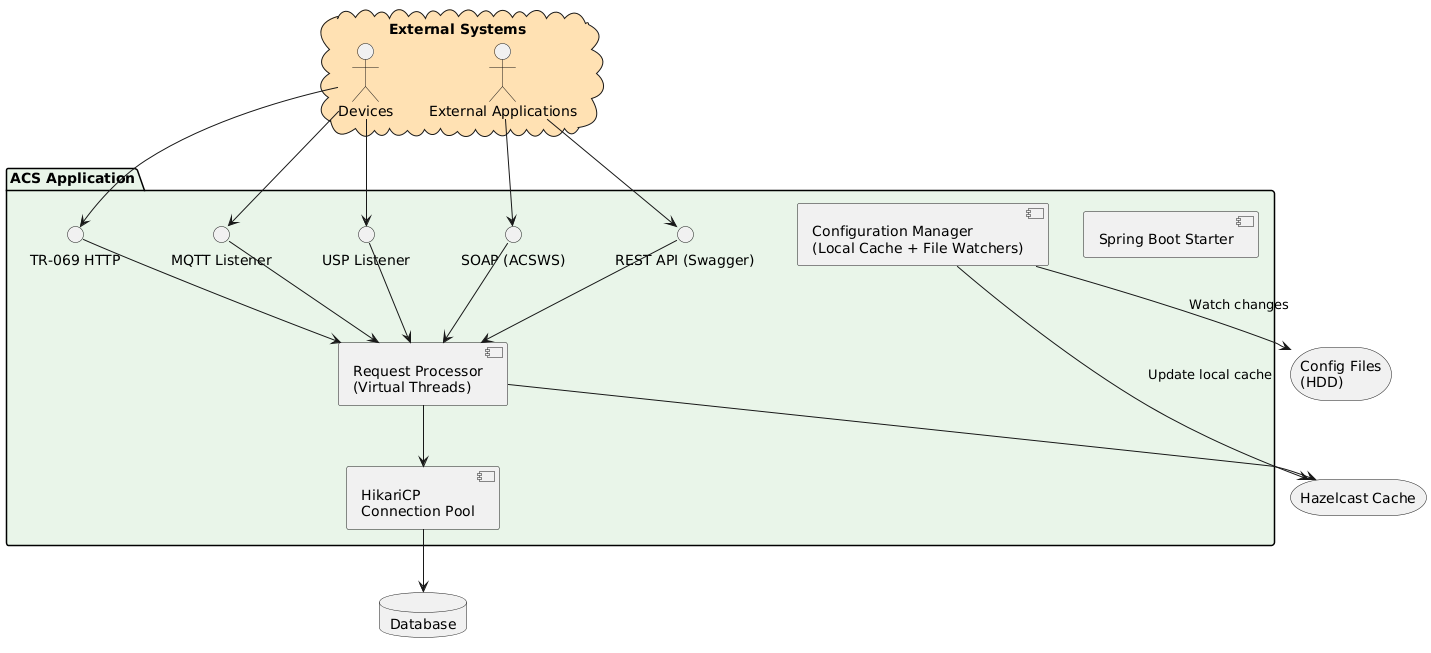
ACS is built on Spring Boot with the following architectural characteristics:
-
Asynchronous request processing using virtual threads
-
Connection pooling via HikariCP
-
Configuration-driven initialization
2.2. System Components Overview
The following diagram shows all major components and their interactions. Refer to it when you need to understand how data flows between ACS subsystems.
2.3. Component Layers
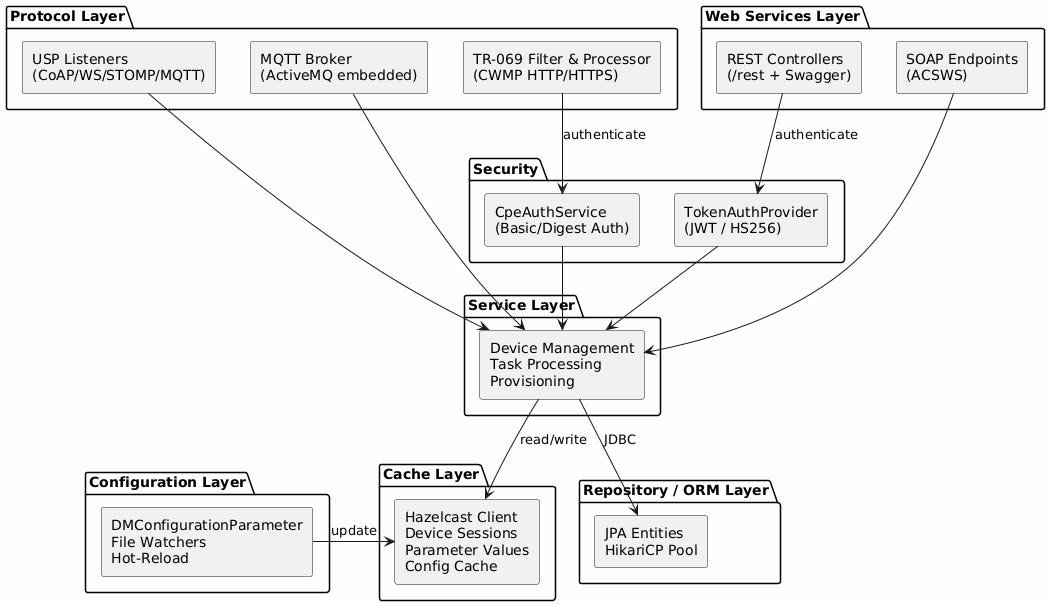
The internal architecture follows a layered pattern with clear separation of concerns.
-
Protocol Layer — TR-069 (HTTP filter + CWMP processor), MQTT (embedded ActiveMQ broker), USP (CoAP, WebSocket, STOMP, MQTT transports)
-
Web Services Layer — SOAP endpoints (ACSWS for OSS/BSS integration), REST controllers (Swagger UI, JWT-protected)
-
Security — Device authentication (HTTP Basic/Digest via CpeAuthService), API authentication (JWT tokens via TokenAuthProvider)
-
Service Layer — Business logic: device management, task processing, provisioning, event handling
-
Cache Layer — Hazelcast distributed cache for device sessions, parameter values, and configuration data
-
Configuration Layer — Dynamic configuration with file watchers and hot-reload (DMConfigurationParameter enum)
-
Repository / ORM Layer — JPA entities with HikariCP connection pooling (MySQL or Oracle)
3. TR-069 Request Flow
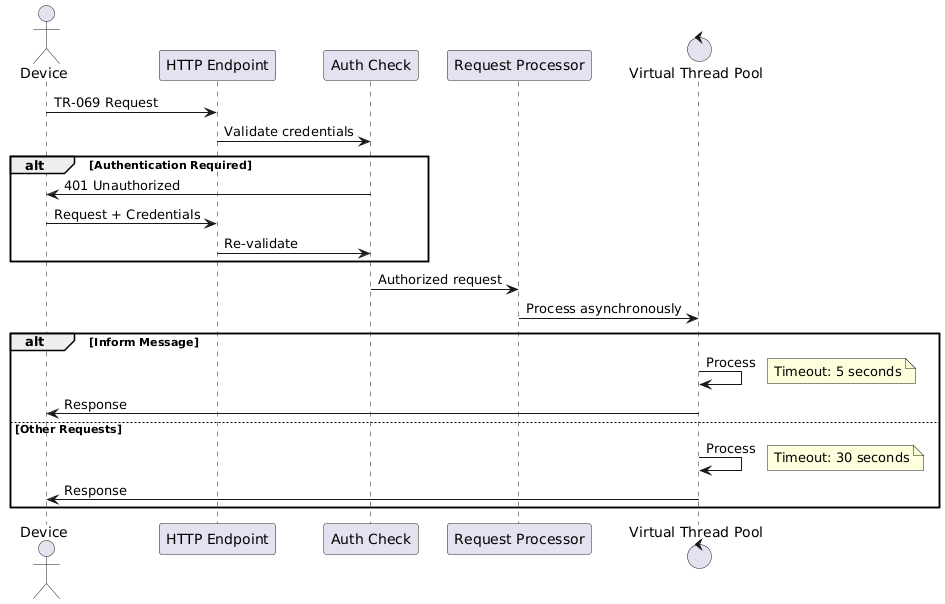
All TR-069 requests are processed asynchronously using Java virtual threads, enabling high concurrency with predictable timeout behavior. Use the following diagram to trace how a device request moves through the system.
4. Application Startup Sequence
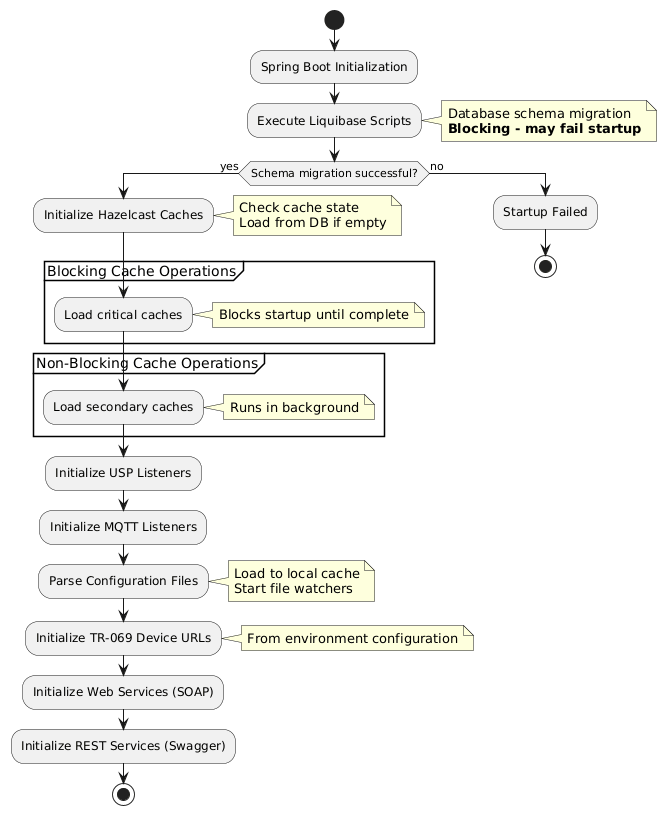
The ACS startup sequence has six phases. If any blocking phase fails, the application does not start. Review each phase below to understand what happens at boot time and where failures can occur.
4.1. Phase 1: Database Schema (Blocking)
Liquibase executes database migration scripts. If migration fails at this phase, the application does not start.
|
A Liquibase migration failure is a hard blocker. Check your database connectivity and migration script compatibility before restarting. |
4.2. Phase 2: Cache Initialization
Hazelcast caches are validated and populated from the database if empty.
-
Blocking operations: Critical caches must complete before proceeding
-
Non-blocking operations: Secondary caches populate in background
4.3. Phase 3: Protocol Listeners
Protocol-specific listeners are initialized:
-
USP listeners
-
MQTT listeners
4.4. Phase 4: Configuration Management
-
All configuration files are parsed and loaded into local cache
-
File system watchers are started for external configuration changes (HDD-based files)
5. Key Architectural Characteristics
6. Infrastructure and Dependencies
6.1. Runtime Environment
-
JDK: Java Development Kit 25
-
Framework: Spring Boot
-
Web Server: Embedded Tomcat
6.2. Main Database
Production deployment requires one of the following RDBMS:
-
Oracle
-
MySQL
|
Database selection is determined at production deployment time. You do not need to install both — choose one based on your organization’s requirements. |
6.3. Quartz Database
A dedicated database for Quartz scheduler, used for cron job management and execution.
6.4. Historical Data Storage
-
ClickHouse: Time-series and historical data storage
-
ClickHouse JDBC Bridge: Enables inter-database communication between ClickHouse and the main database
6.5. Distributed Caching (Hazelcast)
Deployment options:
-
Production: External Hazelcast cluster (required)
-
Non-Production: Built-in embedded instance (supported)
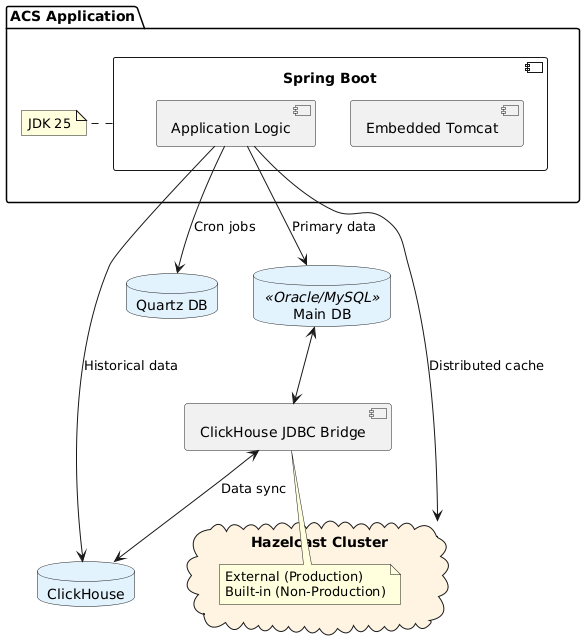
6.6. Infrastructure Diagram
Use the following diagram to see how ACS connects to all infrastructure components.
6.7. Component Summary
| Component | Purpose | Deployment Mode |
|---|---|---|
JDK 25 / Spring Boot |
Application runtime |
Required |
Embedded Tomcat |
HTTP server |
Embedded |
Oracle / MySQL |
Primary data storage |
External |
Quartz DB |
Job scheduling |
External / Embedded |
Hazelcast |
Distributed caching |
External / Embedded |
ClickHouse |
Historical data storage |
External |
ClickHouse JDBC Bridge |
Database integration |
External |
7. Deployment Architecture
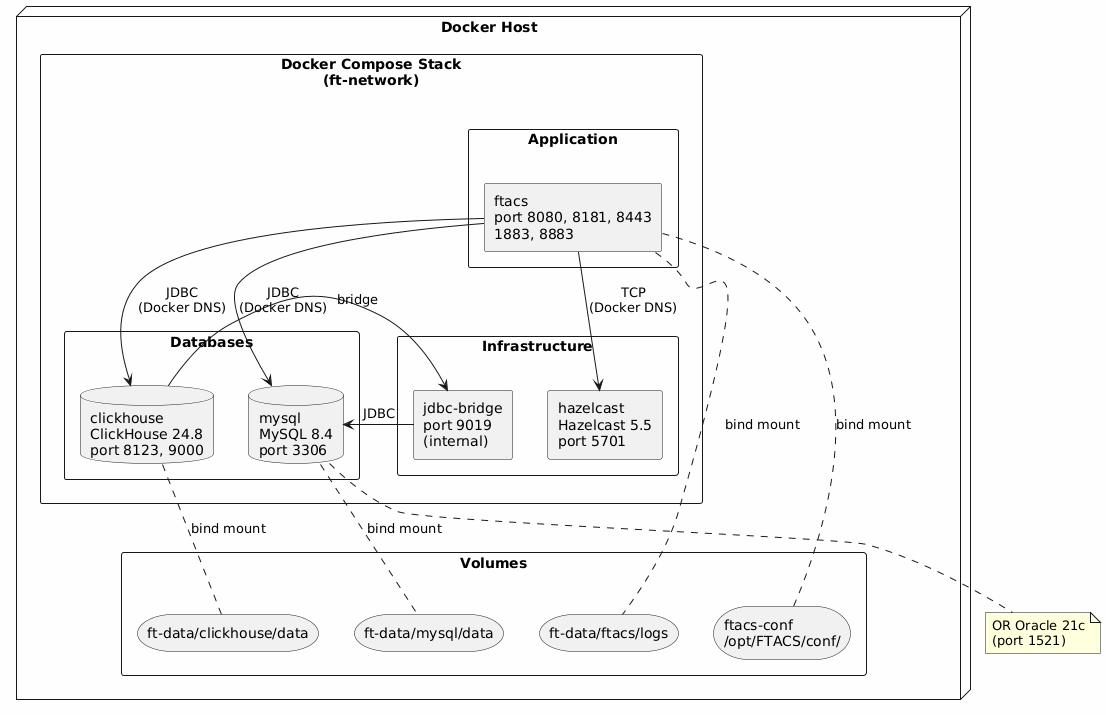
The production deployment uses Docker Compose on a single server (or split across multiple servers for larger installations).
|
For detailed deployment instructions and alternative topologies (separate infrastructure, multi-server), see Installation Guide. |