Data Streams (MQTT) via Monitoring SDD
This document describes the design of the Data Streaming (MQTT) via Monitoring component of Friendly Technologies Device Management System, enabling you to send monitoring data to an external MQTT system on a per-domain basis.
1. Introduction
This feature provides the ability to send monitoring data to an external MQTT system.
You can configure an external system per domain (Global).
2. Software Architecture overview
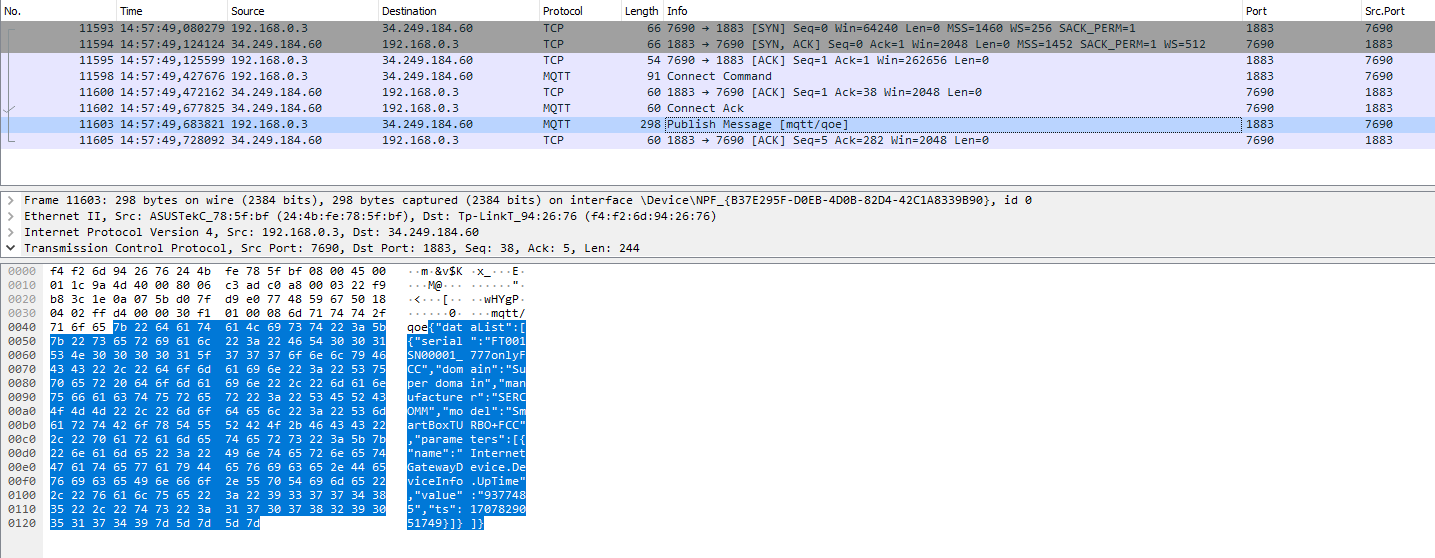
When Monitoring data is received from CPE, ACS sends it (or adds it to a sender queue) via MQTT to the configured server.
3. Software design description
| User Case 1 | Configure data streams per Domain (Global) |
|---|---|
Description |
Ability to configure the MQTT settings for each domain |
Requirement |
|
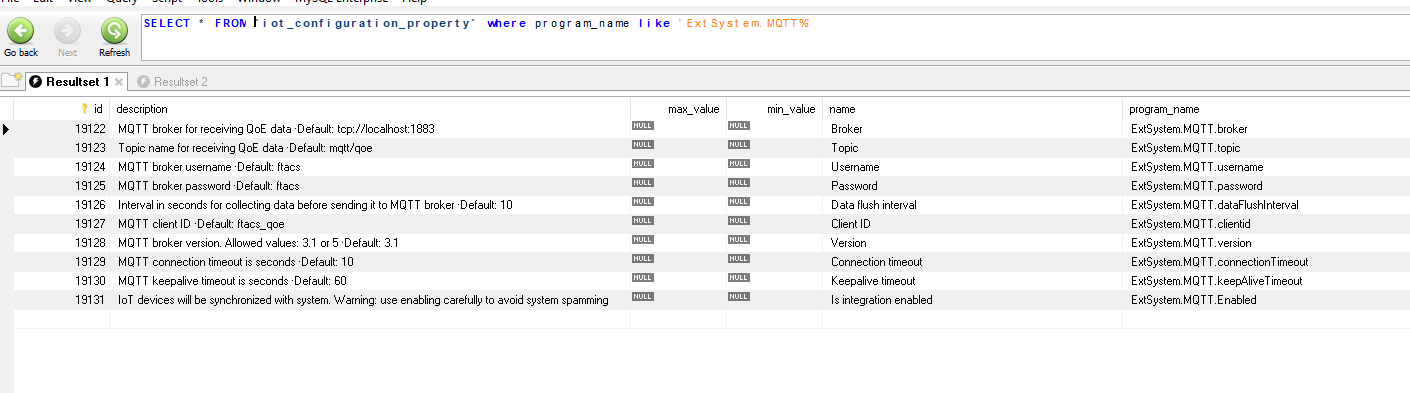
3.2. UI changes
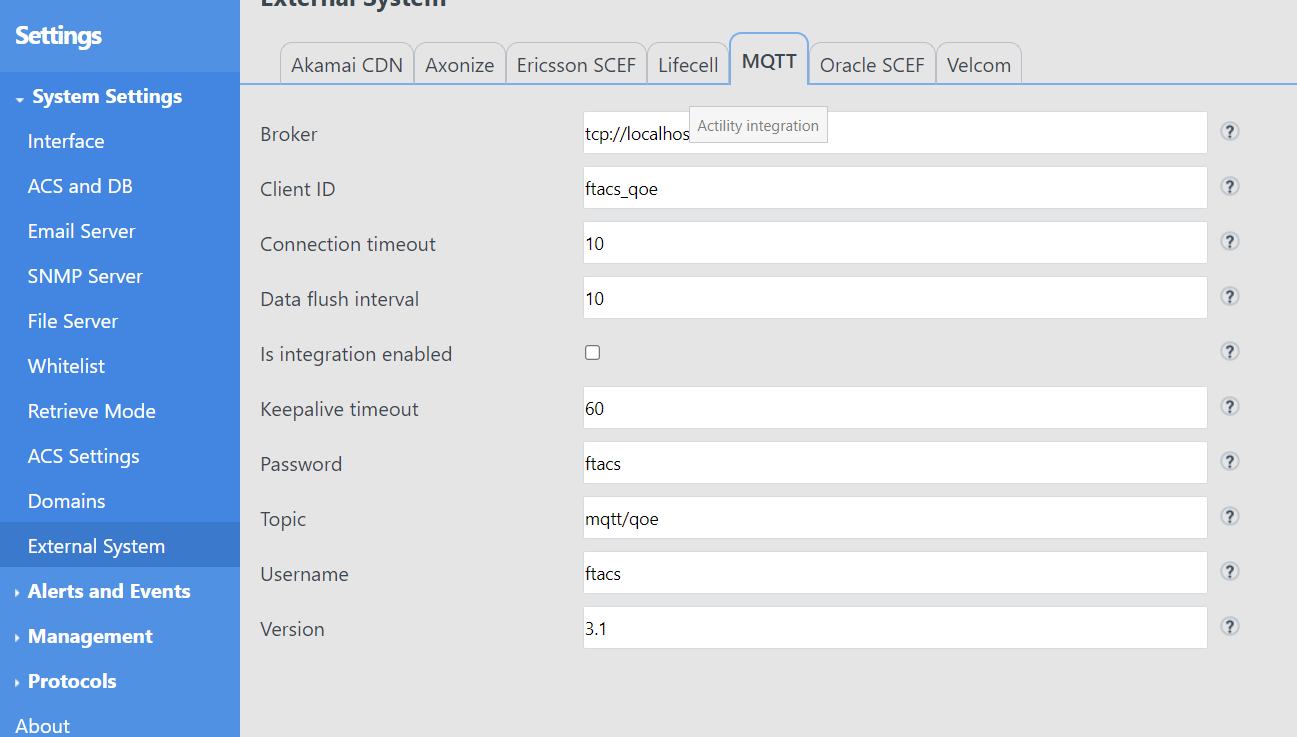
A new tab is available for MQTT configuration.
-
Broker - MQTT broker for receiving QoE data
-
Topic - Topic name for receiving QoE data
-
Username - MQTT broker username
-
Password - MQTT broker password
-
Data flush interval - Interval in seconds for collecting data before sending it to MQTT broker. If 0 — data sends immediately
-
Client ID - MQTT client ID
-
Version - MQTT broker version. Allowed values: 3.1 or 5
-
Connection timeout - MQTT connection timeout in seconds
-
Keepalive timeout - MQTT keepalive timeout in seconds
3.3. ACS configuration change
Added new value to qoeDataStoreMode = 1 (don’t store QoE data) which disables storing to CSV or/and ClickHouse
3.4. Data format
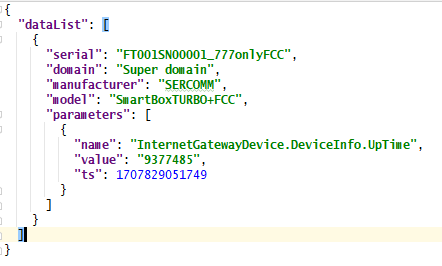
Data is sent in JSON format:
{
  "dataList": [
    {
      "serial": "[DEVICE_SERIAL]",
      "domain": "[DOMAIN_NAME]",
      "manufacturer": "[MANUFACTURER_NAME]",
      "model": "[DEVICE_MODEL]",
      "parameters": [
        {
          "name": "[FULL_PARAMETER_NAME]",
          "value": "[PARAMETER_VALUE]",
          "ts": [TIMESTAMP_DATA_RECEIVING]
        }
      ]
    }
  ]
}
Example: