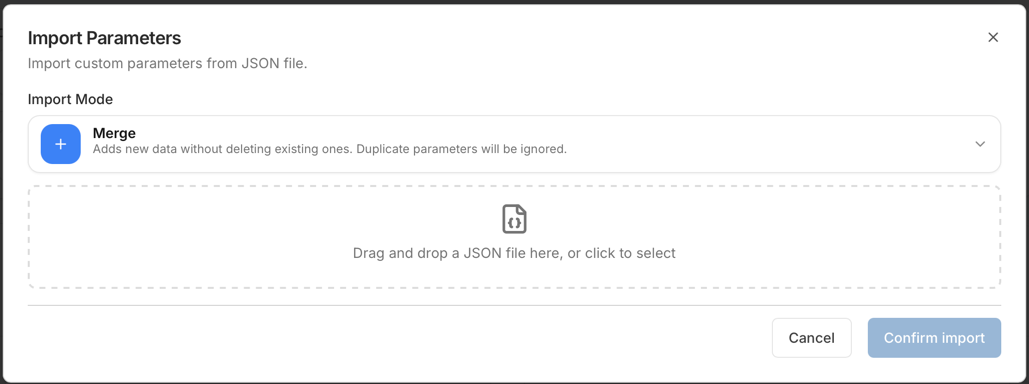
Import with Dry-run
Generic flow
-
Export a snapshot first: Export a Snapshot.
-
Open the module and the Import dialog.
-
Select the import mode (MERGE/REPLACE) if available.
-
Upload the file (or paste JSON) and run Dry-run.
-
Review the dry-run summary and warnings.
-
If dry-run is clean and you accept the plan, confirm Import.
-
Refresh and verify.
Import safety checklist
-
Confirm you are in the correct environment.
-
Confirm your selected context (for example, client type) matches the file.
-
Export a snapshot before changes.
-
Run Dry-run and review:
-
errors (must be resolved),
-
warnings (understand impact),
-
create/update/delete counts.
-
-
If using REPLACE, confirm you accept deletions shown in the dry-run plan.
-
Apply import and immediately verify by refreshing and re-opening the affected entries.